Cranban is a tool for collaborating with robots

I recently created Cranban, a local-first kanban board that stores the board’s data in a markdown file on your computer. Its got the drag and drop simplicity of your favorite project management tools, but a very simple backend (just text!) that is easy to keep in source control, and update by hand when you want to. Because all of the data is on your computer in a simple format, it’s a great tool to use with coding agents. A coding robot can see the current state of the project in a format that works well for a coding robot, and you can see and move around lists and cards, a format that works well for humans.
Over the years I’ve tried using various project management tools for personal projects. For smaller projects that was often a todo.txt file saved with the codebase, and for bigger projects I usually set up a simple kanban board, usually Trello until the Free plan became more limited. Recently when working with coding agents, a web-based kanban board seemed counterproductive, it would be just another layer I would have to translate to the robot. Of course there are tools like MCP, but for personal projects it seemed like unnecessary complexity.
There was always my reliable todo.txt files, but I wondered if there could be a better tool that would give me the high-level project view of a kanban board, while keeping the simplicity and robot-accessibility of a .txt file, and decided to build one, and use it to iterate on itself.
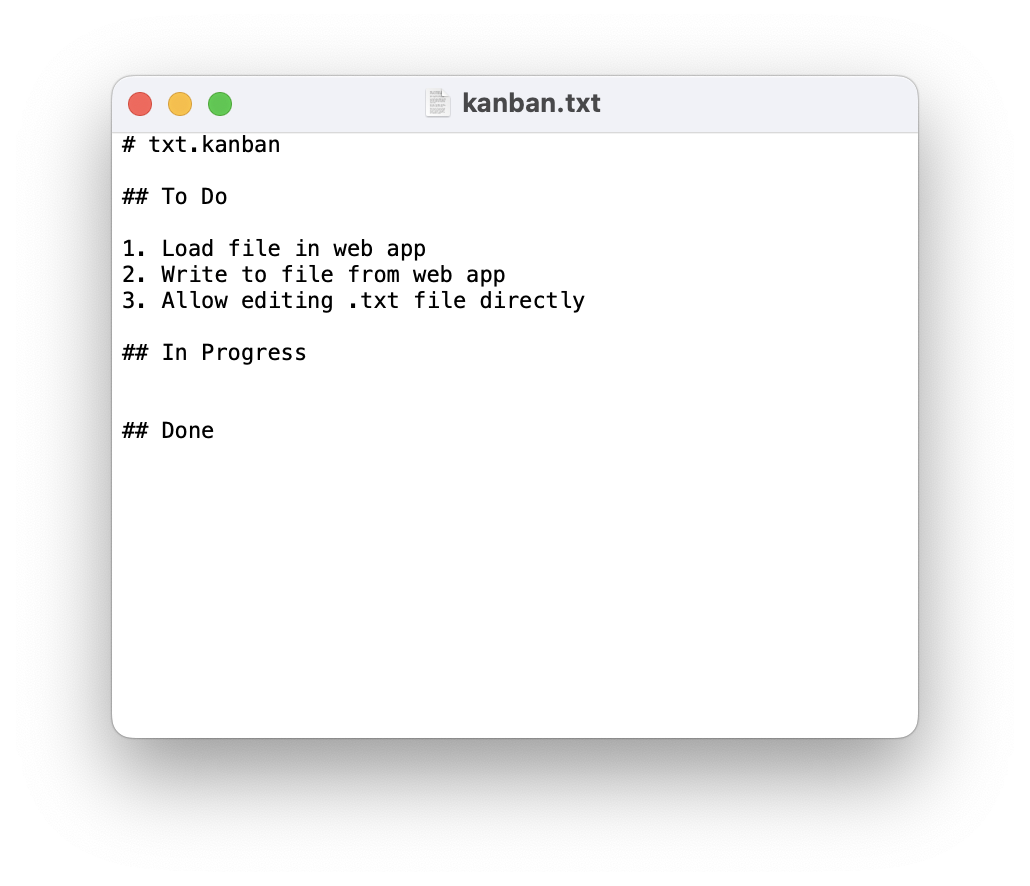
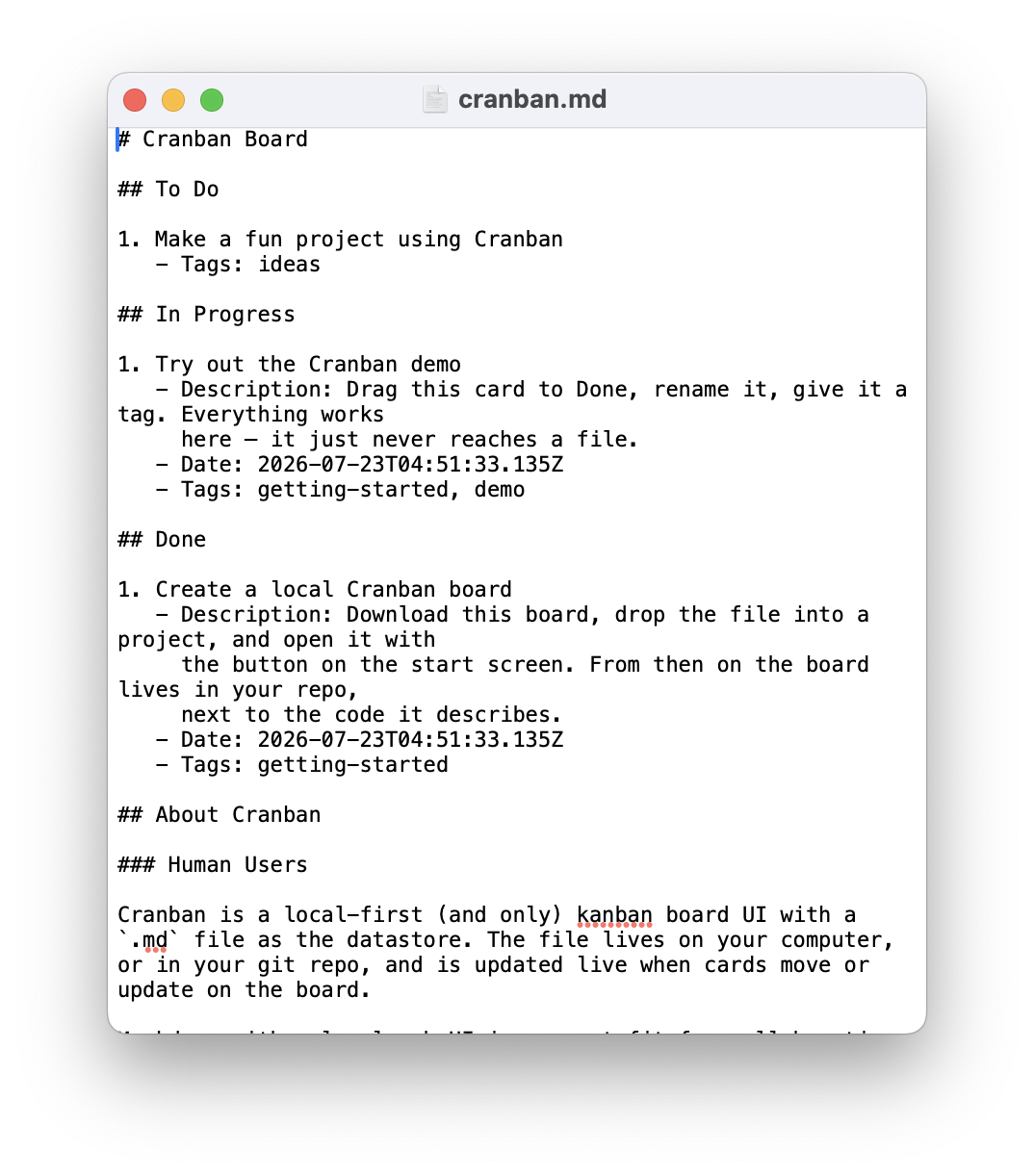
I created a file called kanban.txt and added some markdown headings like “To Do”, “In Progress”, and “Done”. Then I added a list under “To Do” with a few simple boilerplate setup tasks, and prompted Claude to create a kanban style UI from the items in the file. It quickly put together a kanban style React UI of the lists I had written in kanban.txt. With a working prototype, I got busy writing cards in the UI, and simplified my prompt to, “Do the next item in @kanban.txt, ask me for any clarifying information you need.”
It figured out moving cards to “Done” as it completed them, and it continued to work on features as I moved them into the “To Do” column (this almost feels not worth including in this post, because of course it did). You can see the completed cards now in cranban.md on GitHub (I decided a .md file would be better than .txt so that it was viewable in Markdown preview utilities).
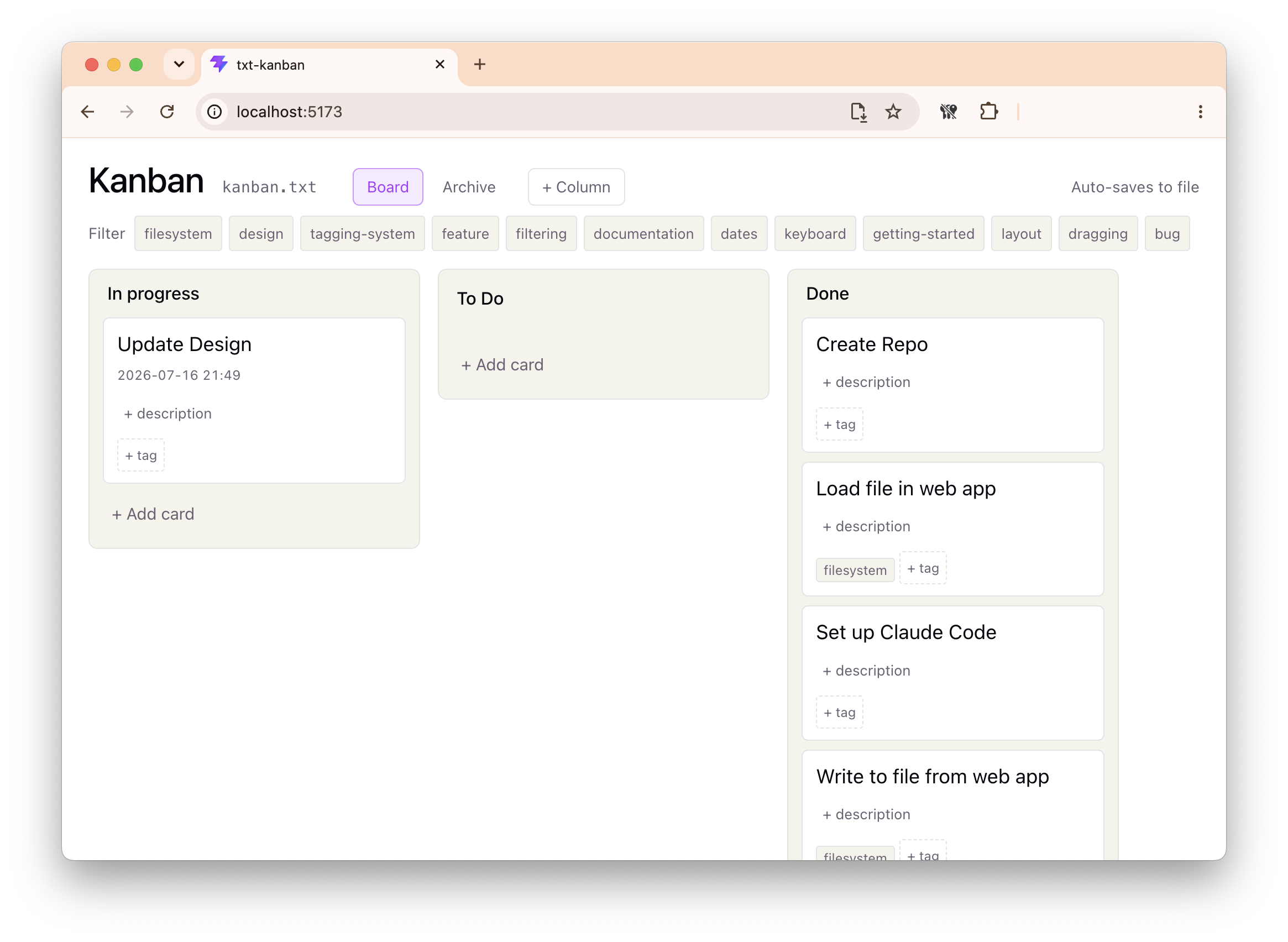
My mind tends to pick up on similar sounding syllables and the name “Cranban” popped into my head midway through iterating on features. I added cards for adding visual themes, with the default being a reddish-pinkish-cranberry, and renaming the project.
Along the way I looked into if anyone else had had the same idea, but didn’t find anything with the same mix of human-centered UI, robot-centered plaintext files, and local-first setup that would gracefully become something useful, even with just the datastore itself. The most similar seem to be Colin Devroe’s Signboard, and Alex Gavrilescu’s Backlog.md but they store each card in a separate markdown file, and have other features like MCP connections or a TUI. These seem much less approachable in a human-editing-a-file way, but probably more scalable for larger projects. There is Cline’s Kanban that is designed to replace your IDE or agent to be your control panel for the project, which, given how fast tools change these days, seems like it could become outdated quickly.
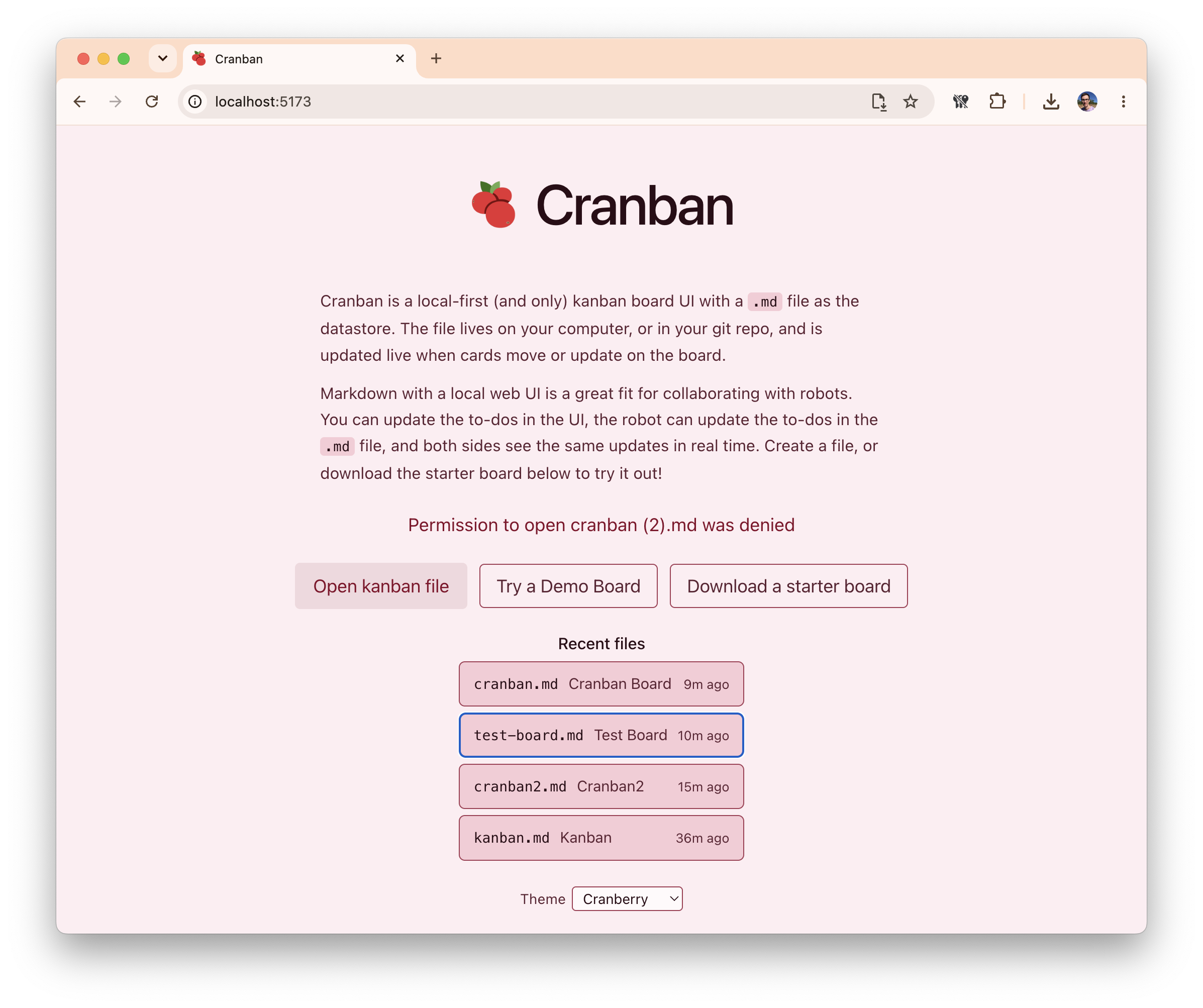
The more I worked with Cranban the more I liked the simplicity. Other similar projects run a local webserver for the web UI, but because with Cranban the web UI is designed only for the human to use, while an agent uses the markdown file directly it doesn’t require anything fancy to make updates (I did add a explanation prompt to the default boilerplate starter file, but I think that most agents in 2026 could figure it out without one).
Because the datastore is local, the UI can run anywhere, try it out now on my Doodles website, or clone the project on GitHub and run it locally, or deploy it anywhere.
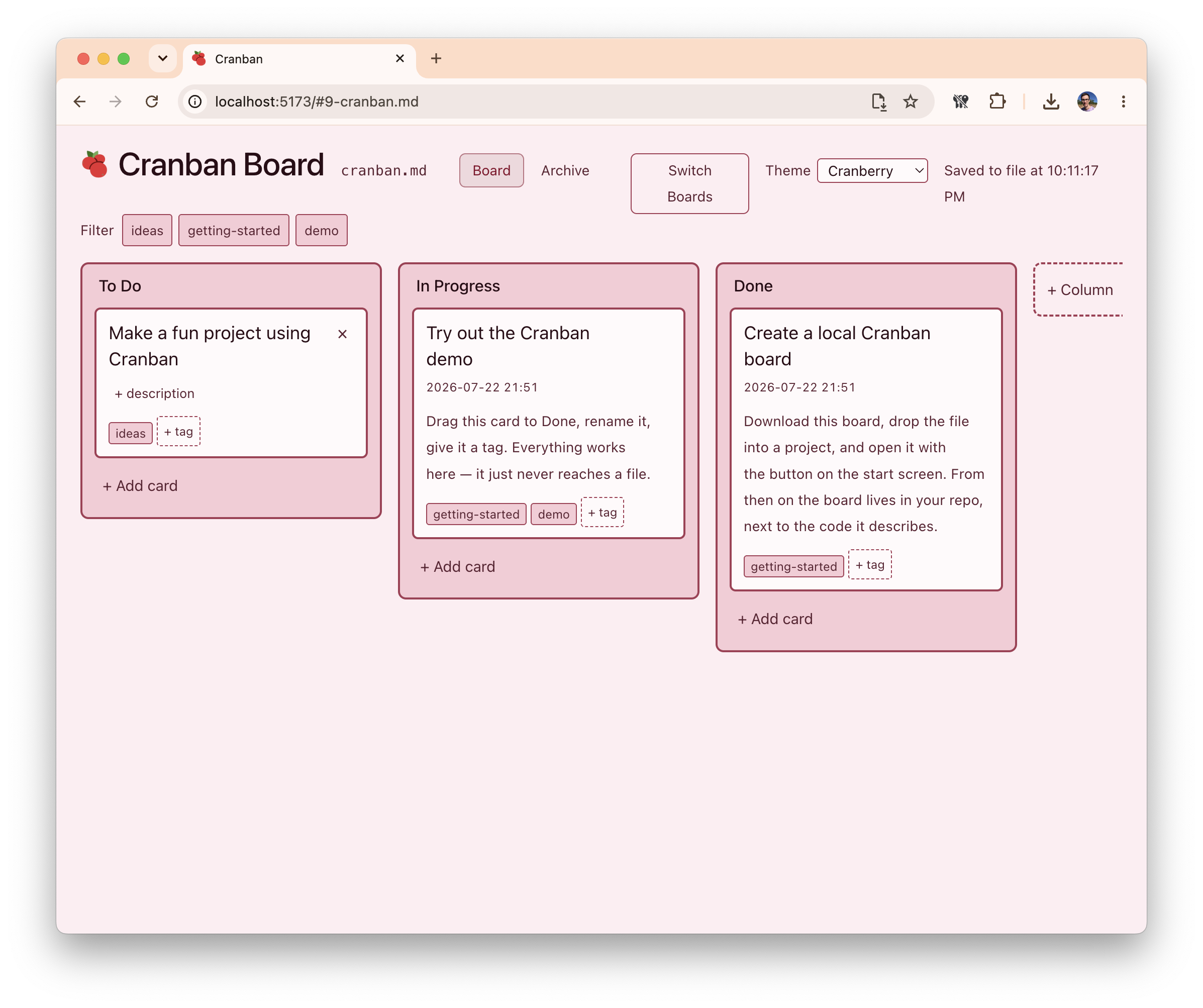
Cranban will of course never compete with something like Jira or Trello that can sync in real time to other human collaborators, but for a project that lives on one computer it’s a great way to plan ideas, and get the productivity magic of moving little cards around. Because personally, I always feel more accomplished when I’m moving little cards around!